Share my week: an image of your logging week, made on your device
Share my week turns your Forkmate week into a square or story image: your streak, days logged and times logged. Made on your device, never uploaded.
Short answer: Share my week makes an image of your week in Forkmate. It can show your logging streak, the days you logged (with a dot for each of the seven days), how many times you logged, and, if you choose, roughly how much protein you ate a day. Tap Share my week under your streak in Days, tick what you want on it, pick square or tall, then download it or send it from your phone’s share menu. The image is made on your device. Nothing is uploaded, and we don’t keep a copy.
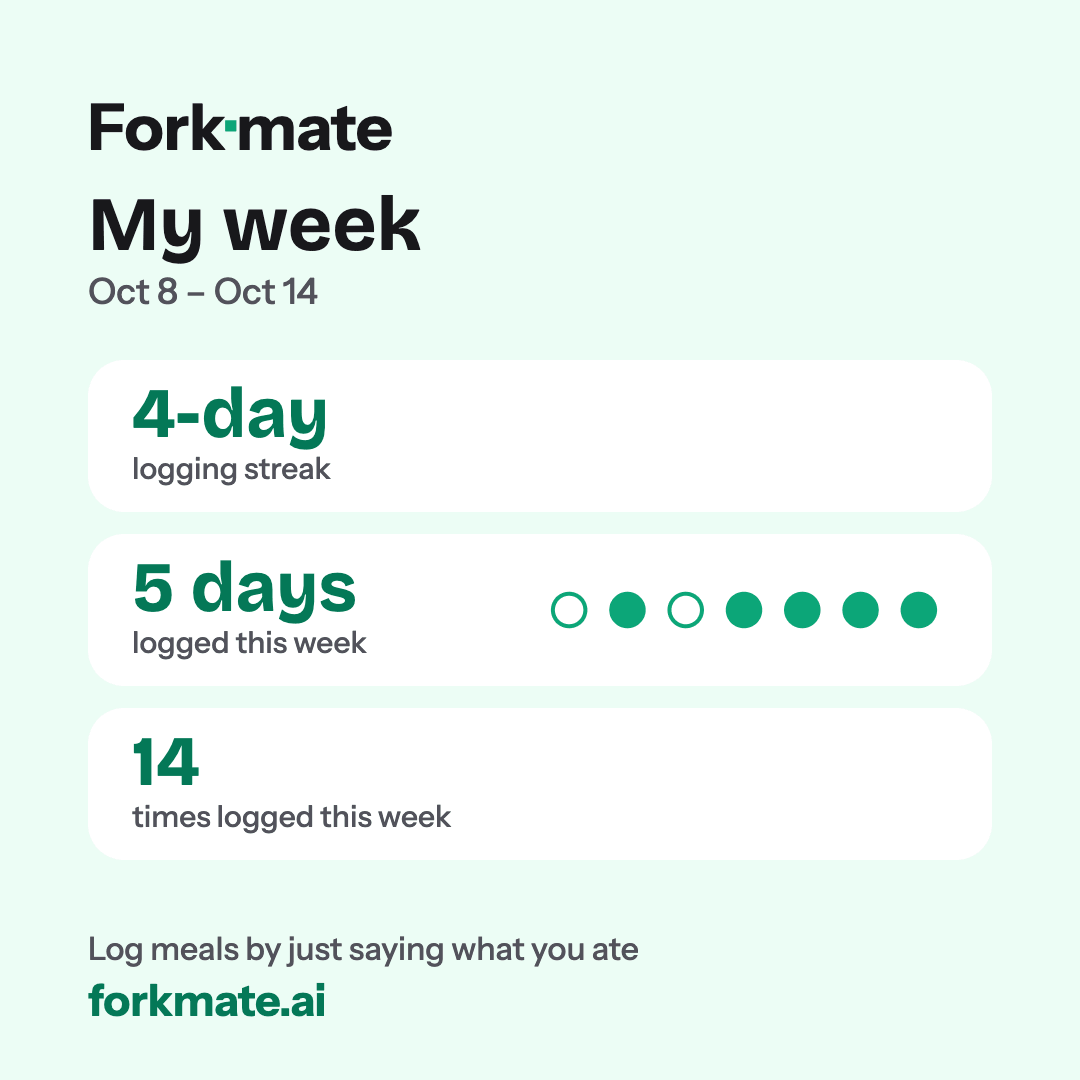
A sample card with made-up numbers, drawn by the same code the app uses. This is the default: streak, days logged and times logged, square, light.
What’s on the card
You decide what goes on the card. Only what you tick is drawn.
- Your logging streak, for example “4-day logging streak”. If your streak goes back further than the week, it shows a “+”, the same way the streak card in the app does.
- Days logged, with seven dots, one for each day. A day you logged is a filled dot. A day you didn’t is an outline in the same colour, with no grey and no cross. A full week reads “Every day”.
- Times logged. It counts times, not meals, because one message can hold a whole day’s food.
- Protein, if you want it. It’s off until you tick it. It reads like “About 118 g protein a day, over 4 full days”. It only uses past days that look fully logged, and it’s only offered once you have at least three of them. With fewer, an average would mislead.
Some things are never on the card: calories, weight or any body measurement, goals, carbs and fat, food names or photos, the times you ate, comparisons with other weeks, and your name or profile picture. The card counts how often you logged, not how much you ate. Every card also has the Forkmate name and forkmate.ai at the bottom.
How to use it
- Open Days. On a phone, it’s the Days screen. On a computer, it’s the Days panel on the left. Share my week is under your streak.
- Tick what’s on it. Streak, days logged and times logged start ticked. Protein starts unticked. The preview updates as you change things, and the preview is exactly the file you’ll save.
- Pick a size. Square (1080 × 1080) suits a post. Tall (1080 × 1920) suits a story.
- Pick light or dark. It starts in the theme the app is using.
- Save it. Download always works. If your phone or browser can share files, Share… opens your device’s own share menu, so you can send it to a message, a story or your photos. If you close the share menu, nothing is saved.
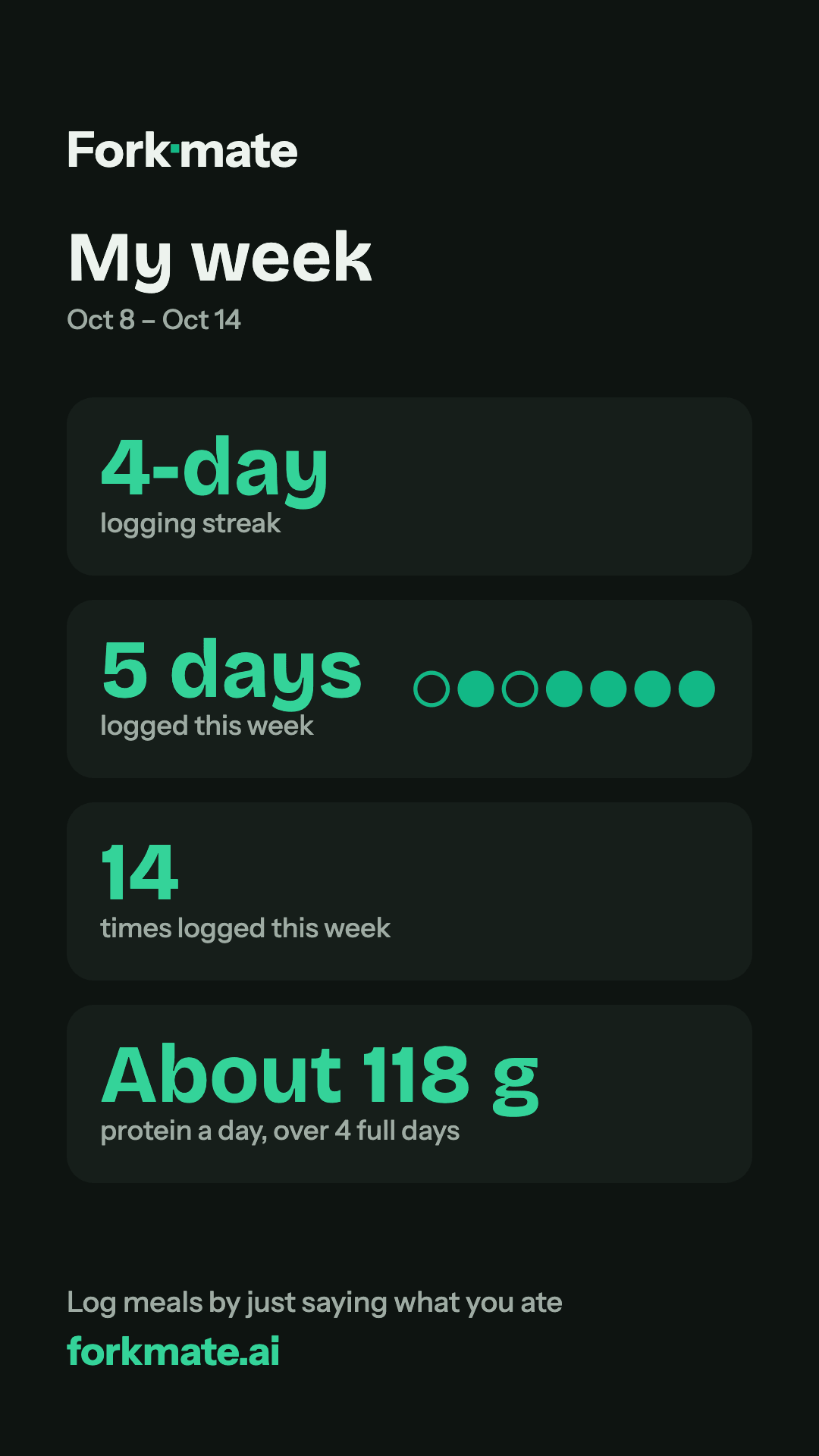
The tall size in dark colours, with protein ticked. The numbers are made up.
Made on your device, never uploaded
The image is drawn in your browser from the week already on your screen. No server makes it, it isn’t uploaded, and we don’t store it. It’s made only of text and shapes, so it contains nothing that loads from anywhere else. It leaves your device only when you download it or pick somewhere in your share menu, and then it goes where you sent it.
When you save or share a card, the app notes that a card was made and which size you picked, never what was on it. The privacy policy lists exactly what we record, and how we handle health data covers the rest.
When you won’t see it
- In calm mode. Calm mode hides the streak and the numbers, and Share my week goes with them.
- When you haven’t logged in the last 7 days. An empty card would only show a zero, so the button waits until there’s a week to show.
Nothing in the app asks you to share. There’s no prompt when your streak grows and nothing after you log. The button just sits under your streak until you want it.
Try it
If you already log with Forkmate, open Days and look under your streak. If you’re new, create a free account, log a meal by typing what you ate, and Share my week shows up under your streak. You can also log from the AI app you already use. See how to log food with Claude or with ChatGPT.
Every change to Forkmate is in the changelog.
Log your first meal today
Create a free account, connect your AI assistant, and see your calories and macros at a glance. No credit card.